The HR system for growing teams.
Employee records, absence, reviews and goals in one place, with an assistant that answers from your own data.
14-day trial. Cancel before it ends and pay nothing.
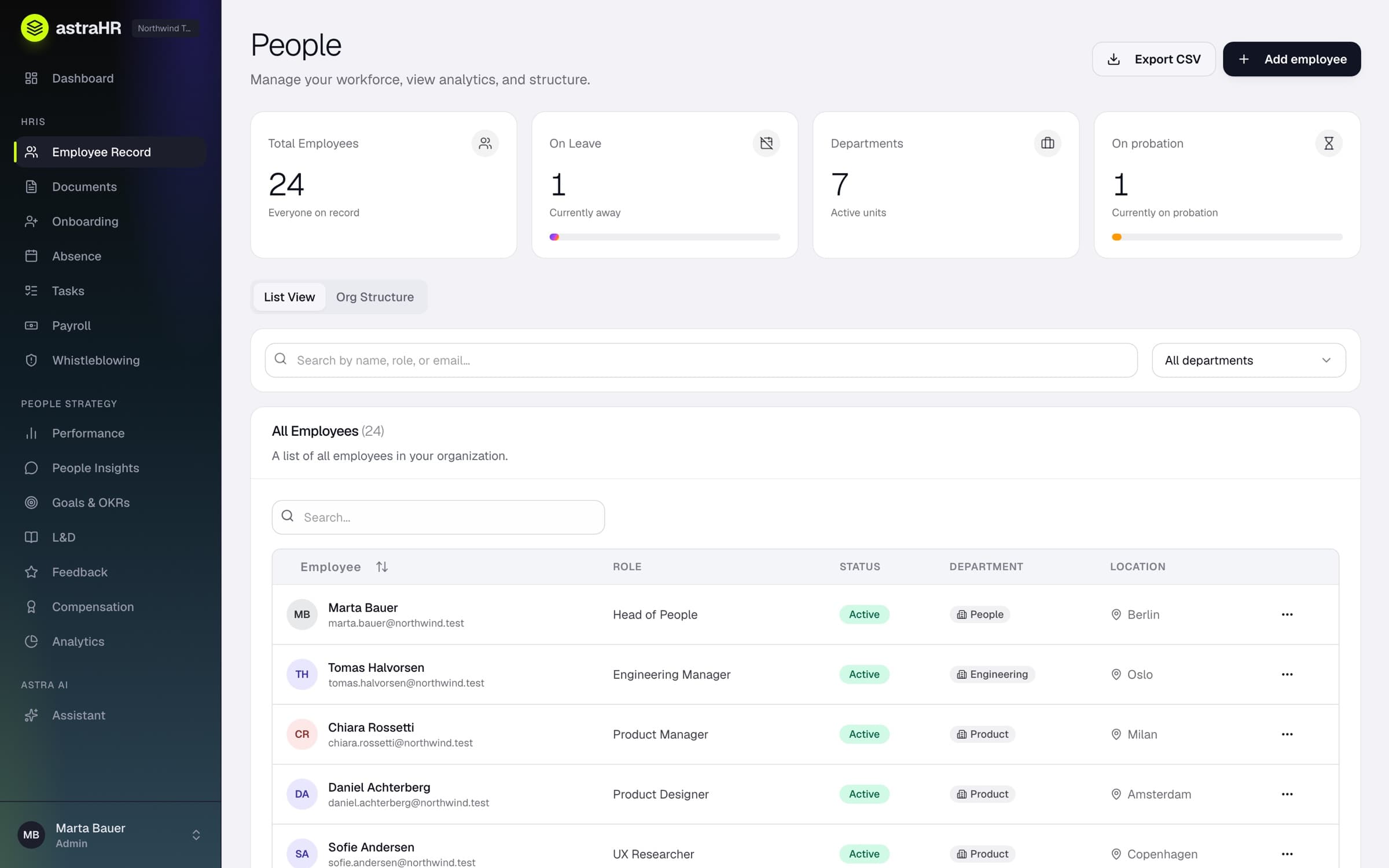
From the product
Everything your HR team runs on
Core HR, people development and an assistant, reading from the same employee record. Three of them, close up:
People
Core HR
Profiles, contracts, history and reporting lines, kept as the one record every other module reads from.
Absence
Core HR
Requests, approvals and balances, decided by the line manager and counted the moment they are approved.
Reviews & goals
Development
Review cycles, objectives and key results, with check-ins on progress along the way.
You ask the assistant once.
A person makes the decision.
It checks the dates, the overlaps and the balance, and prepares the request. Approval and the balance follow on the record.
Step 1: Ask
Felix asks in plain words. Nothing is sent until he presses Confirm.
Step 2: Decide
His line manager, or an owner or admin, decides. Nobody approves their own leave.
Step 3: Recorded
The days come off his balance. If plans change, a manager can cancel it and they come back.
Astra, the agent
An agent that works where you do
Astra reads your records through your own permissions, answers in plain words and prepares the work inside astraHR. In Claude, you can use the same leave tools through your own account. How to connect Claude. ChatGPT is next.
Ask it anything about leave
- How many days do I have left?
- Which of my requests are pending?
- What is waiting for my decision?
- Who is out next week?
- Which leave can I cancel?
Have it prepare the work
- Book me Friday off
- Cancel my request for March
- Approve Felix's request
It writes a card with the details. Nothing changes until you press Confirm.
Integrations
Built to connect
Claude and Google work today, and Gmail invoice sending is rolling out. ChatGPT, Slack, Microsoft Teams, Outlook and Google Calendar are next.
Connect astraHR to Claude- Hosted in the EU
- The database and the application both run in Ireland.
- Isolated per organisation
- Row Level Security on every table, enforced by Postgres.
- Permissions by role
- Checked on the server. The assistant reads through the same ones.
- No passwords to manage
- Sign-in is by emailed link or with Google.
Built in the EU
Built to be trusted with people data.
HR holds the most sensitive data in the company, so the controls live in the database rather than in a promise.
See what we can and cannot claim“Set it up on your own, or with us. There is no queue, and no handover to an implementation partner.”The astraHR teamThe people who build the product
- 01
Create your workspace
Enter your work email and we send a sign-in link. There is no password to set.
- 02
Start your trial
Choose Core or Complete. You are not charged during the 14 days.
- 03
Or have us set it up
Book a walkthrough, and we bring your records across with you.
14-day free trial
See it on your own data.
Start a trial and set up your workspace today, or book a walkthrough with the people who build the product.
Cancel before it ends and pay nothing.